

What Lowers Your Phone or Laptop's Resale Value Most? A Practical Checklist for Indian Sellers
Selling & reverse commerce · 7 min read
Quick answer
Common reasons your phone or laptop’s resale price drops in India are damage, poor battery health, missing accessories, outdated models, and security locks. If you’re upfront about faults and provide all accessories, you’ll get fairer offers and avoid last-minute price cuts at pickup.
You’re ready to sell your phone or laptop, but the price you get can swing a lot—mainly because of things like physical damage, battery health, missing accessories, or a forgotten lock. If you want to know what’s really dragging your resale value down in India, here’s what to watch for and what actually counts when buyers make you an offer.
Key takeaways
- Physical damage and battery health take the biggest chunk off your resale price in India.
- Old models, missing chargers or boxes, and security locks (like iCloud or FRP) also bring your offer down.
- If you’re up front about every fault, you’ll avoid last-minute price drops at pickup.
- Festive sale timing, warranty left, and local demand trends all play a role in how much you get.
- Cashit gives you a free instant quote online, but the actual price is decided after a doorstep check.
What Are the Top Factors That Affect Device Resale Value in India?
The main reasons your phone or laptop doesn’t fetch a high price are: visible damage, battery wear, how old and in-demand the model is, missing accessories, lower specs, software snags, and locks you forgot to remove. Even small marks or a single dent can put buyers off, and a cracked screen or bent frame almost always means a much lower offer—especially if you’re planning to sell your used mobile or laptop.
Battery performance is right up there with looks. If your phone needs charging by lunchtime or your laptop can’t last a couple of hours, buyers expect a discount for the headache of swapping the battery. The year and brand of the device also matter—midrange phones from top brands still hold some value after two years, but old or obscure models are harder to move.
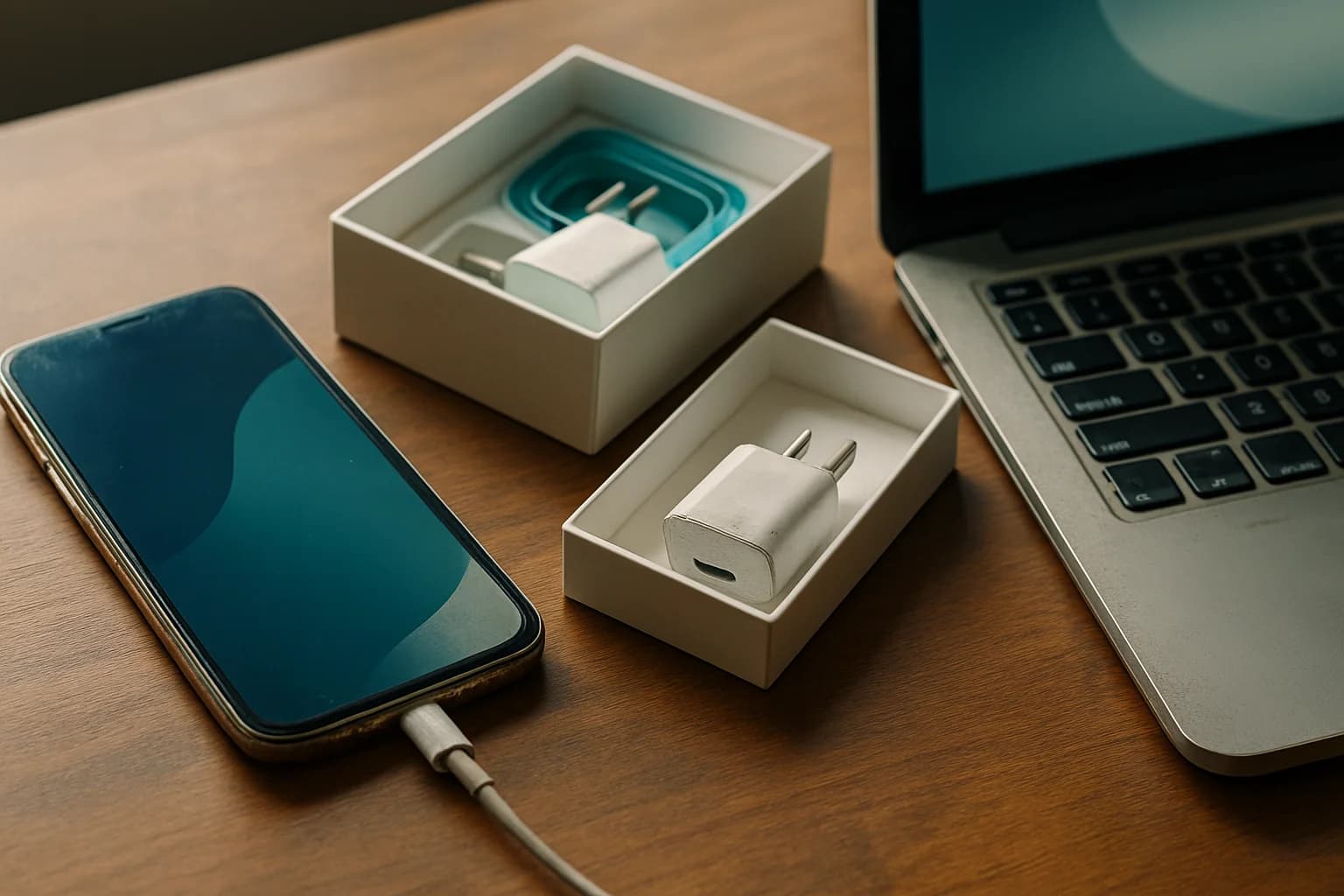
Don’t toss those old accessories yet. The original charger, cable, or even the box can make your device more appealing and feel legit. Buyers in India often want more RAM or storage for the money, so higher-spec devices hold up better. Any sort of lock—network, FRP, or iCloud—can stop the sale in its tracks until you sort it out.
How Does Each Condition Issue Impact the Price Most?
Visible damage is the main reason for big deductions. Shattered displays, deep dings, or water damage can easily halve your offer compared to a spotless unit. Even light scratches or faded paint drop your price, especially if you’re selling a flagship phone or a premium laptop.
Battery health is huge. If the battery’s shot, buyers are reluctant to pay much. Once it drops under 80%, most folks plan on a replacement, so they push for a lower price.
Old models—especially those that don’t get updates or have no parts available—lose value fast. If your phone or laptop is two or three versions behind, don’t expect much money, even with perfect looks.
Missing accessories is another thing that chips away at your offer. You don’t need the box to sell, but you won’t get top rupee either. On the other hand, better specs (like 8GB RAM, 256GB storage) always give you a slight edge.
Here’s a quick comparison to see how each issue affects resale:
| Condition Issue | Typical Impact on Value | Fixable Before Sale? |
|---|---|---|
| Cracked screen | Big drop | Yes (repair shop) |
| Minor scratches | Small drop | No/Polish |
| Poor battery health | Medium to big drop | Yes (replace) |
| Outdated model | Big drop | No |
| Missing charger/box | Small to medium drop | Sometimes |
| Locked device | May be unsellable | Yes (unlock/reset) |
| Lower RAM/storage | Medium drop | No |
Checklist: Assessing Your Device’s Resale Value Before Selling
Before you get a quote or put your device up for sale, try this checklist so you know what to expect:
- Physical check: Look over your device in good light. Note every flaw—cracks, dents, deep scratches, faded paint, or missing parts like SIM trays.
- Battery test: Charge it fully and use it normally. If it drains too quickly or shuts off before 10%, you’ll probably need a new battery.
- Accessories: Gather the original charger, cable, earphones, bill, and box. If you’re missing anything, be honest about it. Indian buyers trust a device more when you have the box and bill.
- Functional check: Try every port, camera, mic, speaker, Wi-Fi, Bluetooth, and fingerprint or face unlock. Check that you’ve removed all locks (network, FRP, iCloud). If you’re unsure, signing out of every account and doing a factory reset helps.
- Software updates: Go to Settings and check for updates. If you’re up to date, your device is simpler to sell.
- Market demand: Search for your model on top Indian resale sites and see what others are asking. The latest launches and trends (like 5G phones or the newest MacBooks) also push values up or down.
What Common Mistakes Should Indian Sellers Avoid?
It’s easy to overvalue your phone or laptop by ignoring age or small damages. Even if you’ve treated it well, buyers notice every scratch and a tired battery. Not mentioning missing accessories or existing problems usually leads to a lower offer during inspection, which is a headache for everyone.
Lots of people forget to wipe their devices or remove personal accounts—especially iCloud or Google. This can make the device unfit for sale or create privacy risks.
Don’t wait too long to sell, either. Once a new model drops or a festive sale goes live, the price for older gadgets falls fast.
How Can You Get a Realistic Estimate of Your Device’s Value?
You’ll get the best sense of value if you’re completely honest about condition when filling out an online quote. If you hide flaws, the actual offer will drop after inspection. Always compare quotes from a couple of reliable platforms to get a realistic range.
Using Cashit is simple—you answer questions about your device’s condition and get a quick online estimate. The price you see is based on the answers you give about your device. After a doorstep check, they’ll confirm the actual offer, and if you go ahead, the payout comes straight to your UPI or bank account.
For example: say you want to sell a three-year-old phone with a few back scratches, battery health around 82%, and no original charger. You upload clear photos and mention every detail. The online estimate reflects this, and if the inspector finds the same, the final offer matches the original quote—no haggling or surprises.
What India-Specific Factors Can Lower Resale Value?
GST bills and warranty still left on your device can bump up your offer. Always mention these upfront—buyers here value the reassurance.
Certain models are more popular in different parts of India, especially before or during festivals when people upgrade. If you sell just before Diwali or a big festive sale, you might get more interest, but you’ll also have more competition from other sellers. New launches can cause older device prices to drop overnight.
Monsoon humidity, daily dust, and voltage swings can age devices faster in India, so keeping them clean and well-maintained makes a difference. Buyers notice if your gadget looks like it’s survived a few tough seasons.
What Happens After You Accept an Offer on Cashit?
Once you say yes to your Cashit quote, they schedule a doorstep visit at your chosen time. The inspector checks your phone or laptop—screen, battery, charger, box, and any locks. If everything matches what you described, you’ll get the agreed amount sent to your UPI or bank account right then, before your device leaves your hands. If something’s different, they’ll adjust the offer on the spot and you decide if you want to go ahead.
For more on the process, check Cashit FAQs.
What to do next
Go through the checklist above with your device. Gather all accessories, note every flaw, and make sure you’ve logged out of all accounts. When you’re ready, use Cashit’s instant quote tool to see what your phone, laptop, or other gadget is really worth today. If you’re selling a specific category, like a laptop or TV, check those pages for a more focused estimate.
Frequently asked questions
Does a cracked screen always mean a huge price cut when selling my phone?
A cracked screen almost always leads to a significant reduction in resale value. Even minor cracks can make buyers nervous about further issues, so it’s best to repair it first if you want a better price.
Will missing the original charger or box affect my laptop’s resale value?
Missing accessories like the original charger or box lowers buyer confidence and usually results in a lower offer. Keeping these items safe can help you get a better deal when you sell.
Can I sell a phone with a weak battery or software issues?
You can sell a device with battery or software issues, but expect the offer to be lower. Some platforms, like Cashit, accept such devices and adjust the value based on the fault found at inspection.
How do I make sure my device isn’t locked before selling?
Check for network, FRP, or iCloud locks by signing out of all accounts and doing a factory reset. Locked devices are hard to sell and often rejected by buyers or platforms.
Is it better to sell my device before or after a big festive sale?
Selling before a festive sale or just after a new model launches can help you avoid sudden drops in resale value. Demand often increases before festivals, but so does competition from other sellers.
Get a free quote for your old device
Ready to sell your old device? Get a free instant quote on Cashit, choose a doorstep pickup slot, and get paid by UPI or bank transfer after inspection.
Check my device's priceComments
No comments yet. Be the first to share your thoughts!